What is business automation and where do you start?
Business automation is just getting the computer to do the boring bits so you don't have to. The best place to start is the thing you do every day that makes you want to throw your laptop out of the window, usually enquiry follow-up.
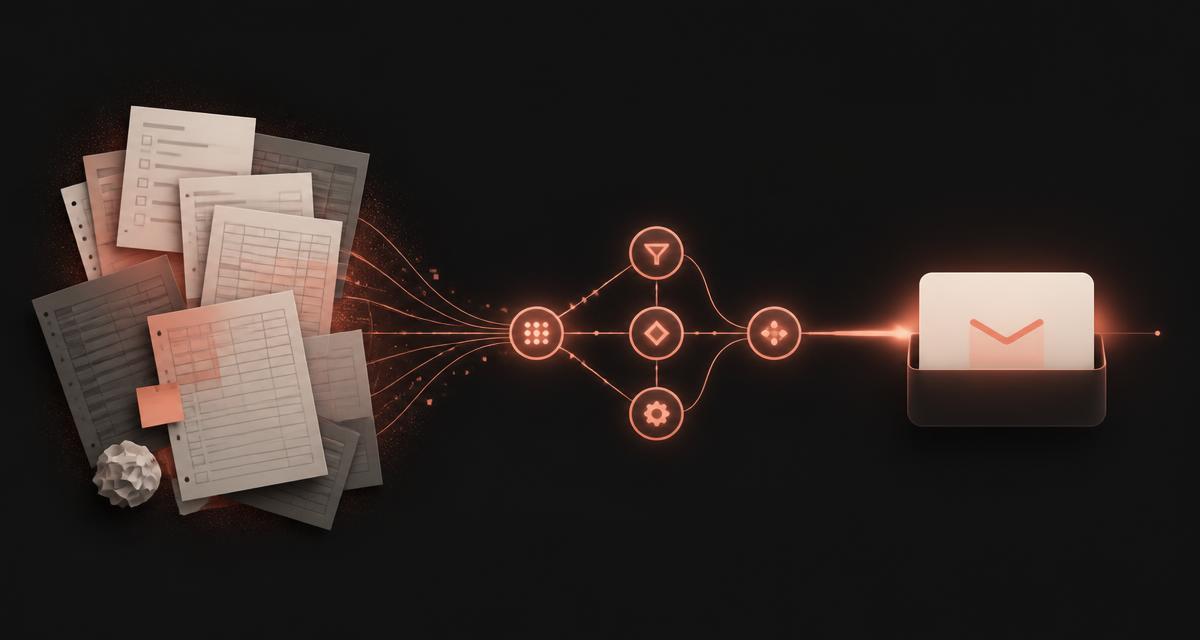
Business automation sounds like something for the big players, the sort of thing that needs a software team and a budget to match. The truth is far more ordinary, and far more useful.
This is a guide for service business owners who are tired of juggling spreadsheets, missed follow-ups and the same repetitive tasks on a loop. If you have ever copied the same information from one place to another five times in a day, this is for you.
What business automation actually means
Business automation is any process that runs itself once you set it up, without you having to remember or manually trigger it. That covers a lot of ground, from a simple email confirmation when someone fills in a form, to a voice assistant that books appointments while you are out on a job.
At the simple end you have workflow triggers: if this happens, then do that. Someone books a call, they get a calendar invite and a confirmation text. A form is submitted, the details land in your inbox and get added to a spreadsheet. Small tasks, done for you, every time.
At the advanced end you have AI tools that answer questions, respond to enquiries, write follow-ups in your tone, and handle bookings or payments. The key difference is that simple automations follow rules you set, whereas AI makes decisions based on context.
Most service businesses benefit from both. The mistake is starting with the flashy stuff before the basics are covered. If you are still copying enquiry details into a spreadsheet by hand, you do not need AI yet, you need a form that does it for you.
The point is not to automate everything. It is to automate the things that waste your time or cause problems when they slip through the cracks. A missed follow-up costs you a customer. A late invoice costs you cash flow. Automating those two alone changes how a business runs.
Where most businesses are losing time without realising
Before you automate anything, you need to know where the time is actually going. Most owners think they know, but when they map it out the real culprits are different to what they expected.
The biggest drains in service businesses tend to be enquiry follow-up, appointment scheduling, chasing payments, updating information across multiple platforms and manual data entry. Tasks that feel quick in the moment but add up to hours every week.
Here is an example. A home care agency gets enquiries through their website, Facebook, email and phone, and each one lands somewhere different. The owner checks all four, copies the details into a spreadsheet, sends a reply, then tries to remember to follow up. Ten minutes per enquiry, twenty enquiries a week, and that is over three hours just moving information around.
Now imagine every enquiry landing in one inbox. The system logs it, sends a personalised reply within two minutes, books a follow-up reminder for three days later if nobody responds, and keeps the whole conversation in one thread. Three hours of admin becomes five minutes of reviewing what came in.
The trap is assuming automation means expensive software. Sometimes it does. More often it just means connecting the tools you already pay for so they talk to each other.
How to choose what to automate first
Not everything is worth automating, and doing too much at once is a fast route to a mess of systems that half work. The question is not what can I automate, it is what should I automate first.
Start with the thing that costs you most when it goes wrong. For most service businesses that is enquiry follow-up. Every enquiry you do not answer within a few hours is probably lost to someone who did, and every forgotten follow-up reads as disinterest. Capture, acknowledge, follow up, automated, is often the single highest return change you can make.
Next, anything repetitive you do more than once a day: sending the same information to new enquiries, booking appointments, sending invoices, collecting reviews. Then anything that depends on you remembering to do it later, because humans are terrible at that and business owners are especially terrible, with forty other things competing for attention.
What not to automate yet: anything needing judgement, empathy or a personal touch this early in the relationship. The first conversation with a potential customer should feel human. Automating the follow-up after it is fine, automating the first reply needs real care or it lands cold.
And never automate a process that is broken. Automation makes things faster, it does not fix them. If onboarding a new client is confusing and full of gaps today, automating it just means you confuse people faster. Fix the process, then automate it.
Simple automations you can set up this week
You do not need a developer or a big budget to start. Most of these take an afternoon, and the tools involved usually have free plans that are perfectly adequate for a small business.
Those five alone save hours every week and stop leads, payments and reviews slipping through the cracks. Start with one, get it working, then add the next. Small wins build momentum.
When to bring in AI, and what it can actually do
AI gets a lot of hype and plenty of it is deserved, but it is not magic and it is not always the answer. The question is not should I use AI, it is where does AI solve a problem I actually have.
AI is brilliant at repetitive communication that needs to sound human: answering common questions, responding out of hours, following up with people who showed interest but never booked. A chatbot on your site can answer what your hours are, what things cost and whether you cover someone's area, instantly, at nine in the evening, instead of that person bouncing to a competitor.
Voice assistants can answer the phone, take messages and book appointments. For a business where the owner is out on jobs all day, that is the difference between capturing an enquiry and missing it. AI can also draft follow-ups based on where someone is in your process, write proposals and re-engage leads who went quiet six months ago, as long as it is trained on your tone and your process so it sounds like you.
Here is where people go wrong. They bolt AI onto a business without the basics in place. If your website does not clearly explain what you do, who you help and how to get in touch, a chatbot will not fix that. If your enquiry process is a mess, AI will faithfully automate the mess.
I audit the manual processes a business is already running before recommending or building any automation. That discovery-first approach is what makes sure the automation solves the problem, rather than adding another layer of complexity.
How to avoid automation for automation's sake
The biggest mistake is automating because it sounds clever, not because it solves a real problem. You end up with a stack of software, subscriptions piling up, and a system so complicated nobody uses it.
Automation should make your life easier, not harder. If a tool takes more effort to manage than it saves, needs constant tweaking or confuses your team, bin it.
If the answer to any of those is no, or not sure, wait. The problem will get clear and painful enough that the right solution becomes obvious.
Be careful with customer communication too. An automated text confirming an appointment is fine. An automated response to a complaint is not. The best automation is invisible: the customer gets a fast reply, a timely reminder and a smooth experience, and never thinks about what is happening behind the scenes.
Where to go from here
Map where your time is going, pick the one task that causes the most pain when it slips, and automate that first. Test it, refine it, then move on to the next. You do not need to automate everything and you do not need expensive software to start.
When you are ready to go further, bring in AI for the repetitive communication that still needs a human tone. Get help from someone who audits what you are doing before recommending anything, because the best automation is built for your actual process, not someone else's idea of it.
The businesses winning right now are not the ones with the fanciest tech. They are the ones that capture every lead, follow up fast and make it easy to say yes. Automation is the tool that makes that possible without working eighteen-hour days.
Short answers to the common ones
What is business automation in simple terms?
It is any process that runs itself once you set it up, without you having to remember or trigger it. A confirmation email when someone fills in your form, a text reminder the day before an appointment, or an AI assistant that answers common questions at nine in the evening are all business automation.
What should a small business automate first?
Enquiry follow-up. Every enquiry you do not reply to within a few hours is probably lost to someone who did, so capturing, acknowledging and following up automatically is usually the highest return change you can make. After that, automate anything repetitive you do more than once a day, and anything that relies on you remembering to do it later.
Do I need AI to automate my business?
No. Most of the value comes from simple rule-based automations connecting the tools you already use. AI is worth adding when you need repetitive communication that still sounds human, such as answering common questions out of hours or drafting follow-ups in your tone, and it works best on top of processes that are already clear.
What should you never automate?
Anything that needs judgement, empathy or a genuinely personal touch, and anything built on a broken process. Automation makes things faster, it does not fix them, so if your onboarding is confusing today, automating it just confuses people faster.
How much does business automation cost to start?
Often nothing. Most form builders, invoicing tools and booking systems already include the automations described here on their free or existing plans, so the first wins are usually about switching features on and connecting tools rather than buying new software.
I audit the manual processes you are actually running before building anything, so the automation solves your problem rather than adding another layer of software.
See the AI and automation service ->